Type your phrase
Open the GummyType bubble letter generator and type a short word or title. Short phrases produce the boldest, most readable results.
Bubble letters turn plain words into playful, rounded artwork that pops off the page or screen. Whether you want to draw them by hand, use a free online generator, or print traceable worksheets, this guide covers four straightforward methods from start to finish.
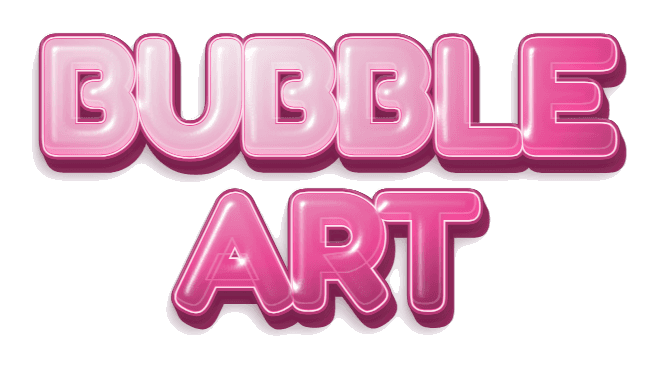 Two-line example · Juicy finish · Transparent PNG
Bubble letters are a style of lettering where each character looks puffy, rounded, and inflated—like a balloon or a piece of candy. You can find it in graffiti-inspired art, poster design, social media graphics, party invitations, classroom displays, and video thumbnails.
What makes bubble letters distinctive is their thick outlines, generous curves, and the optical illusion of depth. A good bubble letter looks like you could reach out and squeeze it. The rounded forms also make the style approachable and fun, which is why it works so well for titles, headings, stickers, and short decorative phrases.
Hand-drawn bubble letters give you full creative control and require nothing more than a pencil, eraser, and paper. This is the classic approach and a great skill to practice.
Lightly write an uppercase letter in pencil. Leave space between strokes and use two guidelines if you need help keeping the letters even.
Draw a smooth outline around each pencil stroke, roughly 3–5 mm away. Round the corners and let neighboring letters touch only where you want them to overlap.
Erase the pencil skeleton inside the shape. Ink the rounded outline with a marker, then let it dry before adding color.
Fill the letter with color. Add a small highlight near the upper-left edge and a darker shadow along the lower-right edge.
Start with short words. Single words like a name, "HELLO," or "WOW" are much easier to manage than a full sentence. As your confidence grows, you can try longer phrases.
Use graph paper or guidelines. Consistent letter height makes the biggest visual difference. Draw two horizontal pencil lines to keep your letters the same size, or use graph paper as a built-in grid.
Avoid sharp corners. The single most common mistake is leaving angular turns in the outline. Every corner in a bubble letter should be a smooth curve. If a turn looks pointy, redraw it rounder.
Overlap letters intentionally. When two bubble letters touch, decide which one sits in front. Draw the front letter's outline fully, then let the back letter tuck behind it. This layering adds depth and cohesion.
Experiment with letter weight. Thicker outlines make puffier letters. Try varying the outline distance—5 mm for compact letters, 8–10 mm for extra chunky ones—until you find the weight that matches your project.
If you need finished bubble letter artwork in seconds—for a social post, thumbnail, or presentation—an online generator is the fastest path from idea to download.
Open the GummyType bubble letter generator and type a short word or title. Short phrases produce the boldest, most readable results.
Choose from rounded, chunky, or italic lettering, then try finishes like Juicy, Sugar, Y2K Holographic, Chrome, Puffy, Neon, Liquid Metal, or Sticker. The preview updates instantly.
Keep Transparent Grid selected to export a transparent PNG that is automatically cropped around your text. Layer it over photos, videos, collages, or any background in your favorite editor.
A bubble letter maker like GummyType is ideal when you need polished digital artwork quickly. Instead of drawing, inking, and coloring each letter, type a short word and choose a shape, finish, and color. The preview shows the highlights and shadows; keep Transparent Grid selected to export a transparent PNG.
Generators are also useful when you need consistency. If you are making a series of social graphics or video thumbnails, every title will have the same font weight, finish, and quality. Hand-drawn letters are charming precisely because of their imperfections, but when the goal is a clean, repeatable look, a digital tool delivers.
Because GummyType runs entirely in your browser, there is nothing to install and no account to create. The transparent PNG output means you can drop the artwork into Canva, CapCut, Figma, Google Slides, or any image and video editor that supports layered images.
Sometimes you do not need an image—you just want bubble-styled text you can paste into a bio, caption, or message. Unicode bubble characters make this possible without downloading a font.
Go to the bubble text generator and type your phrase. The tool converts A–Z letters into Unicode enclosed characters, and circled styles also convert 0–9; any other characters stay unchanged.
Compare circled, filled, squared, and parenthesized variations. Each style uses a different Unicode character set, so appearance may vary across apps.
Click Copy next to the style you like, paste it into your destination, and confirm the characters display correctly. Some platforms limit unusual Unicode in certain fields.
Tracing is a great way for beginners and young learners to practice the rounded shapes of bubble lettering before drawing freehand.
Open the traceable bubble letters tool and type a short word. A child's name or a small letter group works best.
Dotted outlines provide guided checkpoints for tracing. Solid outlines work better for tracing edges, coloring inside, or cutting out as templates.
Choose your paper size, print the worksheet, and let the learner follow the bubble letter shapes with a pencil, marker, or crayon.
Create a printable worksheet with your own word, then trace the rounded outlines before trying them freehand.
Each method has its strengths. Pick the one that matches your goal, timeline, and skill level.
Draw by hand when you want a personal, one-of-a-kind result and enjoy the creative process. Hand-drawn letters are perfect for posters, art projects, journals, and greeting cards where imperfections add charm.
Use the PNG generator when you need polished digital artwork fast. The transparent PNG output works in any image or video editor—ideal for social media graphics, YouTube thumbnails, presentations, and merchandise mockups.
Copy and paste Unicode when you want styled text that remains selectable and does not require an image. This works for social bios, captions, display names, and messages in apps that support enclosed Unicode characters.
Print a tracing worksheet when a young learner needs practice with rounded letter shapes. Tracing builds fine-motor skills, letter recognition, and confidence before freehand writing.
Bubble letters are rounded, inflated-looking letter forms with thick outlines and a soft three-dimensional appearance. They are popular in graffiti art, poster design, social media graphics, and classroom activities.
Write each letter in a simple block style, then draw a rounded outline about 3–5 mm around it. Erase the inner skeleton, add a small highlight circle in the upper-left corner, and shade the lower-right edge for a 3D effect.
The easiest method is a free online generator like GummyType. Type your phrase, choose a style and color, and keep Transparent Grid selected to download a transparent PNG—no drawing or design skills required.
Yes. You can draw them by hand with a pencil and marker, use a free browser-based generator, or print traceable bubble letter worksheets. None of these methods require Photoshop or any paid software.
For hand-drawn 3D bubble letters, add a shadow offset to the lower-right side of each letter and fill it with a darker shade. For digital projects, use GummyType's 3D bubble letter generator which renders glossy layered text with built-in shine and shadow.
All you need is a pencil, an eraser, paper, and optionally a black marker for outlines and colored markers or pencils for filling. Graph paper or dotted paper can help beginners keep letter sizes consistent.
Type a short phrase, pick a glossy finish, and download a transparent PNG for free. No design skills or sign-up required.